
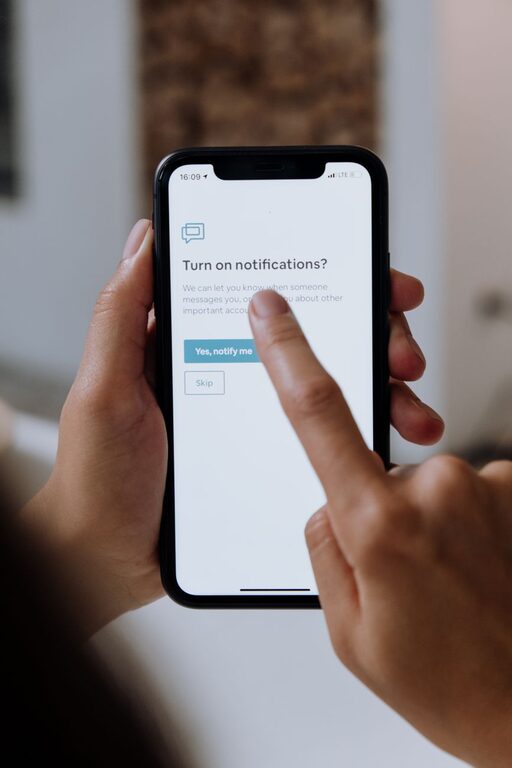
Notifications are designed to keep you informed, but too many alerts can make it difficult to focus, rest, or enjoy time away from your devices. Messages, app updates, reminders, and promotional alerts can quickly turn into a steady stream of interruptions.
Setting notification boundaries does not mean ignoring important information. It means deciding when, where, and how you want to be alerted. With a few thoughtful changes, you can stay connected while giving your attention more room to breathe.
Start by reviewing your notifications
Before changing your settings, take a few minutes to notice which notifications you receive and how often they appear. Many people have alerts enabled for apps they rarely use or information they do not need right away.
Make a list of the apps that send notifications throughout the day. Then ask:
– Is this alert useful to me?
– Do I need to know about it immediately?
– Could I check this information at a time I choose?
– Does this notification help me complete a task or distract me from one?
– Would I notice something important without this alert?
This quick review can reveal that many notifications are optional. Removing unnecessary alerts is often the easiest way to create a calmer digital environment.
Separate urgent alerts from optional updates
Not every notification deserves the same level of attention. Messages from a family member, a work-related update, and a shopping promotion may all appear in the same notification area, but they have very different levels of importance.
Group alerts into three categories:
Important and time-sensitive
These may include direct calls, messages from key contacts, calendar reminders, or updates connected to an active task. Keep these notifications available if they support your responsibilities.
Useful but not urgent
Examples include news summaries, social media messages, delivery updates, and activity reminders. Consider receiving these alerts in batches or checking them at specific times.
Optional or distracting
Promotions, game updates, repeated suggestions, and frequent social activity alerts often do not require immediate attention. Turning these off can make a noticeable difference.
The goal is not to create a perfect system. It is to make your notification settings match your priorities.
Use scheduled notification times
If you check certain apps regularly, you may not need an alert every time something changes. Instead, choose set times to review them.
For example, you could check:
– Email in the morning, early afternoon, and late afternoon
– Social media during a scheduled break
– News apps once or twice a day
– Personal messages during lunch or after work
Scheduled check-ins help replace constant reacting with intentional use. They also make it easier to concentrate on one task without wondering what might appear on your screen.
Many devices and apps include features that summarize notifications or deliver them at selected times. If available, use these tools to combine less important alerts into one update.
Create focus periods
A focus period is a set amount of time when notifications are limited or paused. It could last 20 minutes, an hour, or an entire morning, depending on your schedule.
Focus periods work well for:
– Reading or writing
– Studying
– Meetings
– Creative projects
– Exercise
– Household tasks
– Conversations with friends or family
You can turn on a device’s focus, do not disturb, or silent mode. Some settings allow calls or messages from selected contacts to come through while blocking other alerts.
Start with one short focus period each day. Once you become comfortable with it, add more time or create different settings for work, personal time, and sleep.
Set boundaries around work notifications
Work-related alerts can easily extend beyond working hours. Even when you do not respond, seeing a message can shift your attention back to unfinished tasks.
Consider setting a clear beginning and end to your work notification window. At the end of the day, you might:
- Review urgent messages.
- Write down any tasks that need attention tomorrow.
- Turn off work app notifications.
- Place your work device out of sight if possible.
If you use the same device for work and personal activities, create separate profiles or focus settings. You can also disable message previews so that work content does not appear on your lock screen during personal time.
If other people expect quick replies, communicate your usual response times. A simple note such as “I check messages twice each afternoon” can help set a realistic expectation.
Protect your sleep routine
Notifications during the night can interrupt sleep or make it harder to relax before bed. Even a brief alert may encourage you to check your phone and continue browsing.
Create a nighttime notification boundary by:
– Enabling a sleep or do not disturb setting
– Muting group chats overnight
– Charging your phone away from your bed
– Turning off screen previews
– Using an alarm clock if you tend to check your phone at night
– Choosing a regular time to stop checking messages
You may want to allow calls from a small group of contacts if you need to remain reachable for a specific reason. Otherwise, keeping nighttime settings simple can make it easier to disconnect.
Limit visual and sound-based distractions
Notification boundaries are not only about whether an alert appears. They also involve how noticeable it is.
You can reduce distractions by:
– Turning off notification sounds
– Disabling vibration for nonessential apps
– Removing notification badges
– Hiding previews on the lock screen
– Moving distracting apps away from your home screen
– Using a less noticeable alert style
– Keeping your phone face down during focused activities
Visual badges can be especially distracting because they create a sense that something needs attention. Removing them can help you decide when to open an app instead of responding automatically.
Use exceptions carefully
Some people avoid changing notification settings because they worry about missing something important. Exceptions can provide a balance between availability and quiet time.
Choose a small number of contacts or apps that are allowed to reach you during focus periods. Keep the list limited so that your boundary remains useful.
Review these exceptions occasionally. An app or contact that was once important may no longer need immediate access to your attention.
Let people know your communication habits
Notification boundaries work better when the people around you understand them. You do not need to give a detailed explanation. A brief message is usually enough.
You might say:
– “I may not see messages while I am working, but I will reply later.”
– “I keep my phone on silent in the evening.”
– “For urgent matters, please call twice.”
– “I check email at set times during the day.”
Clear communication can reduce pressure to respond instantly and help others choose the right way to contact you.
Review your settings regularly
Your notification needs may change over time. A new project, a different schedule, or a new app can add alerts that no longer fit your routine.
Set a reminder to review your notification settings once a month. Remove apps you no longer use, turn off alerts that have become unnecessary, and update your focus schedules.
Pay attention to how you feel after making changes. If you are still distracted, look for the specific app or type of alert causing the problem. Small adjustments can have a large effect.
Build a boundary that you can maintain
The best notification system is one you can follow consistently. You do not need to silence everything or create complicated rules. Begin with one or two changes, such as turning off promotional alerts and creating a no-notification period before bed.
Over time, you can adjust your settings to support your work, relationships, rest, and personal goals. Notifications should serve your routine, not control it. By choosing when and how you receive alerts, you make more space for focused work, meaningful conversations, and uninterrupted time.